Deadbolt and Latch Validation
WedgeTLS, 2026 · Design, build and test software
A bench station I built to life-test Tyto deadbolts and their latches. It cycles one part for days on its own and judges how it's doing from torque alone.
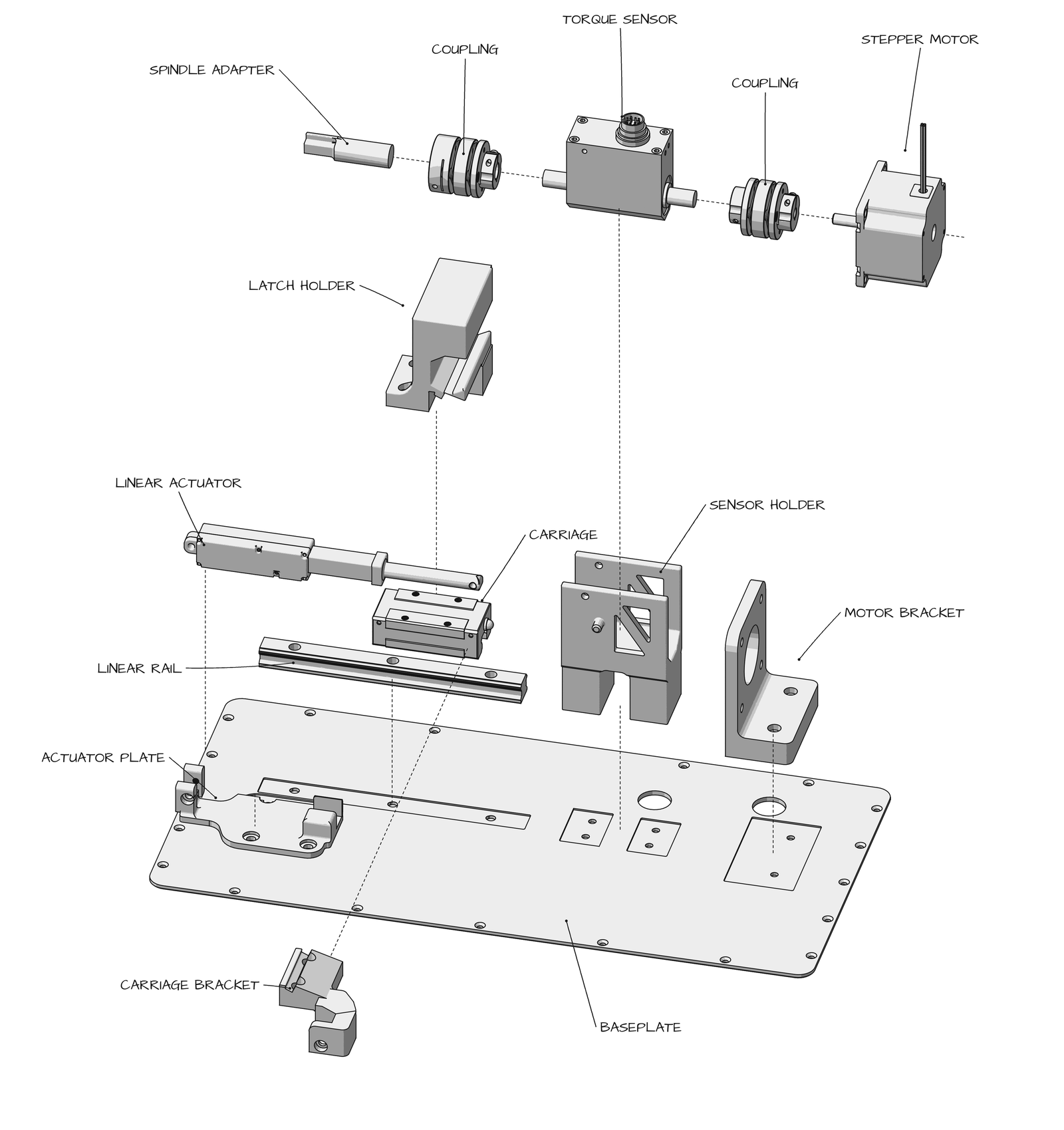
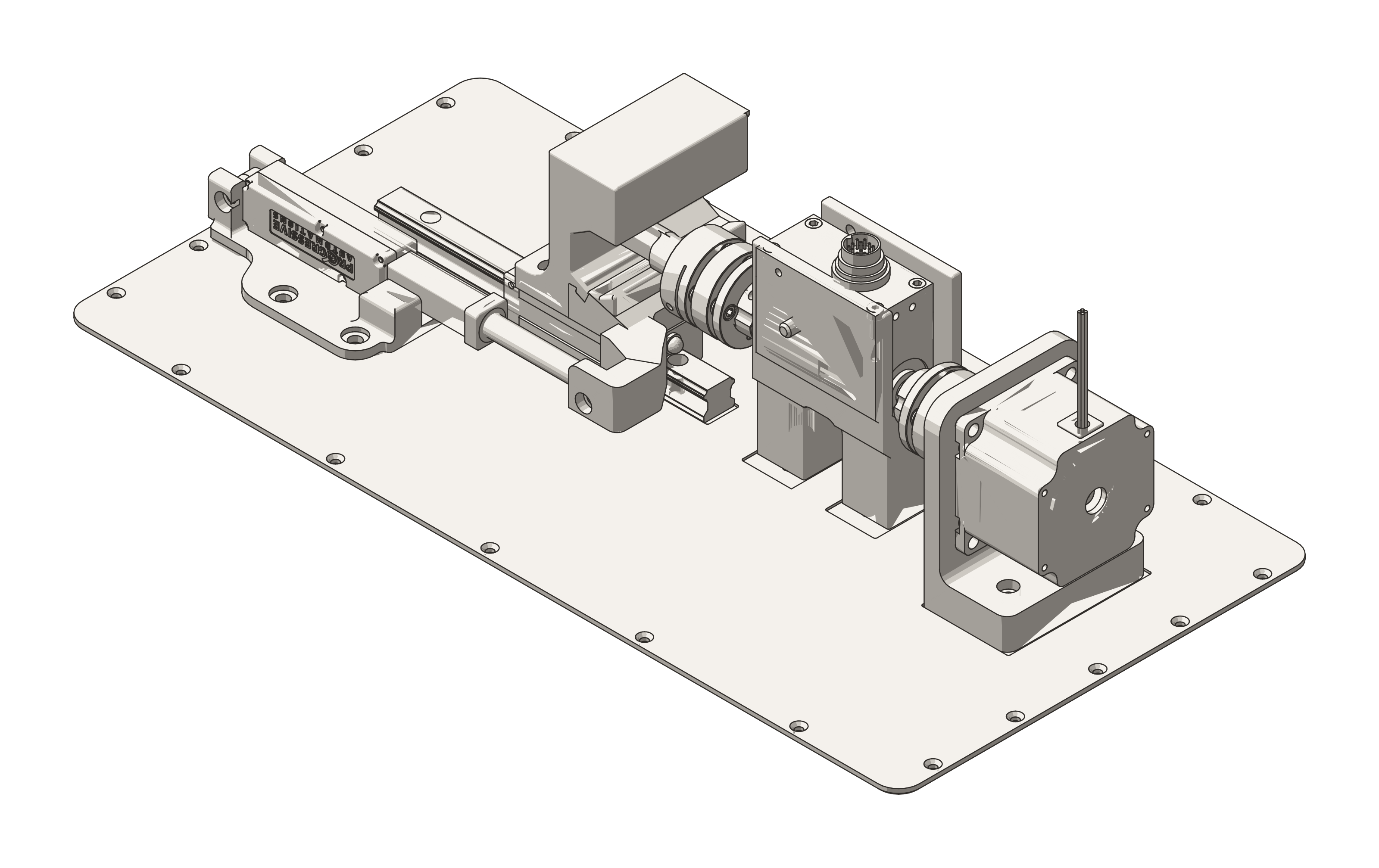
| Hardware | NEMA 23 stepper on a TB6600 motor driver, FUTEK rotary torque sensor, zero-backlash couplings, 8-inch actuator on a linear rail, Arduino, custom brackets and holders |
|---|---|
| Software | Python app with a browser UI, Arduino motor-control scripts, FUTEK's USB library for the sensor |
| Resolution | ±0.01 N·m per cycle at about 2,400 samples/s, held while the app runs. The sampler has its own thread and never writes to disk, so charts and analysis can't slow it down. Angle comes from the motor's step count, good to about 1°. |
TL;DR. A motor turns the deadbolt or latch back and forth, over and over, while a sensor measures how hard it pushes back on every turn. The software learns what a healthy turn feels like for that specific part, and it stops the test as soon as a turn looks wrong, like when a spring breaks.
1. The rig
A stepper motor turns the latch cam 65° each way and back. An inline torque sensor sits between the motor and the latch, connected with zero-backlash couplings so none of the motion gets lost. The Arduino confirms every move, so a reset can never skip a cycle or count one twice.
2. One loop, two forces
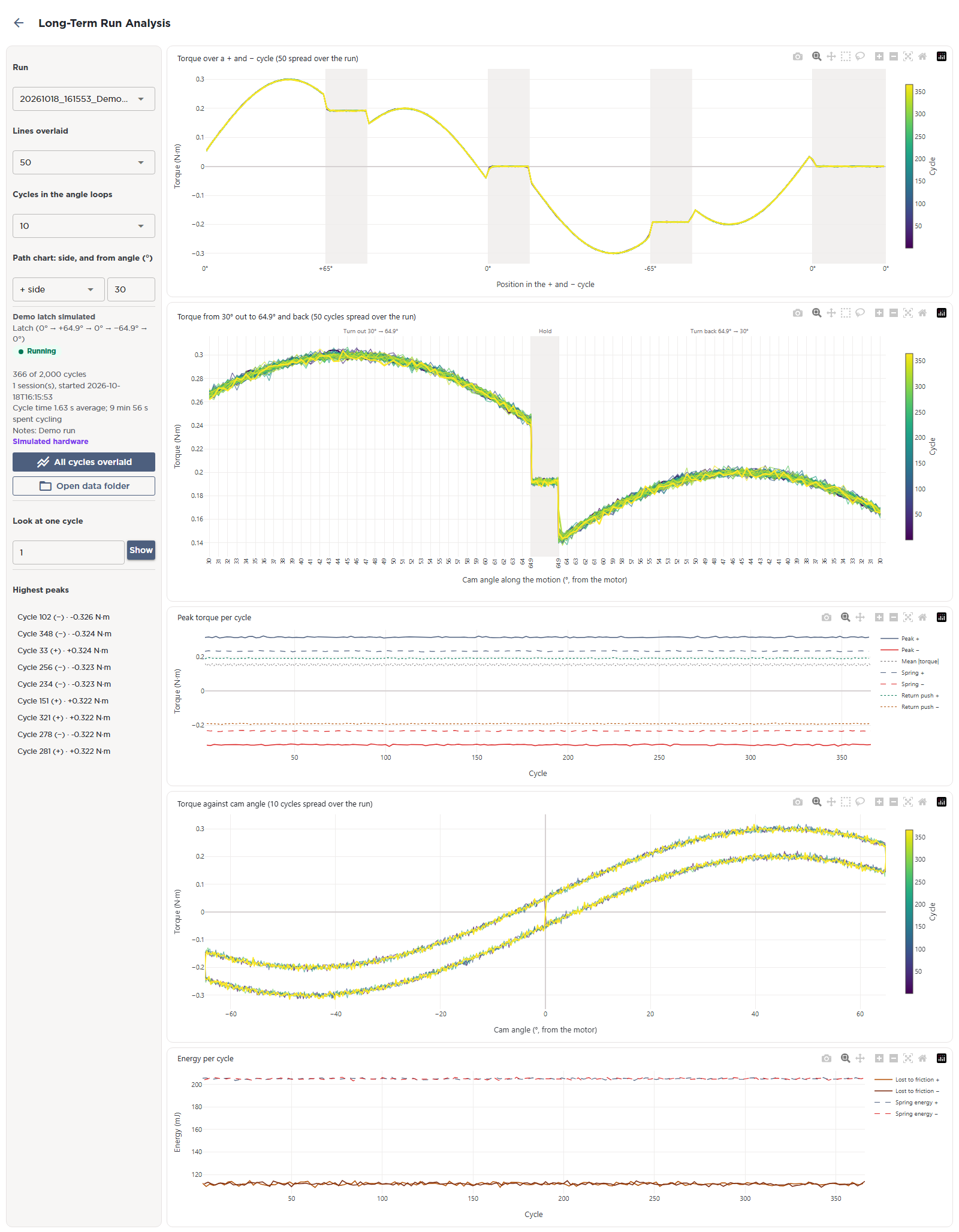
Each turn out and back traces a loop on a torque vs angle plot. Going out, you feel the spring plus friction. Coming back, you feel the spring minus friction. The middle of the loop is the spring torque, half the gap is the friction, and the area inside the loop is the energy lost every cycle.
3. Catching a spring failure
In plain terms, the station gets to know each part. After a few dozen turns it has a picture of how that latch feels as it rotates, and every new turn gets laid over that picture. A turn with the same shape but less force means the spring is getting weaker. A turn with a different shape means something inside moved or broke. When either one goes too far, the test pauses so we can look at the part while the failure is still fresh.
The model
Each turn of each cycle is a curve of torque against cam angle, . "Normal" is the median curve of the same turn over the same-speed cycles 100 to 600 before. The cycle is fitted as a stretched and shifted copy of normal:
The best size and offset come from a least-squares fit over the turn's angle points :
What the stretch and shift can't explain is the leftover . Divided by the ordinary leftover (its median over the normal cycles), it is the shape surprise :
The run pauses when, on any of the four turns, the median of the last 20 cycles says:
In words: is how big the turn is against recent normal, is where the sensor's zero sits (ignored), and is how different the shape is (1 = ordinary). Because is always the last few hundred cycles, slow wear moves along with the latch and never builds up into an alarm.
To make sure the watch works, I compared it against a latch with one spring cut on purpose. A failed spring is easy to see in the torque, since the push back on the return stroke drops to almost nothing. The watch has to flag that part and stay quiet on the good ones running the same test.
4. Running unattended
Sampling, recording and motor control each run on their own thread. Every cycle is saved before it counts, a watchdog stops the rig if the sensor goes quiet, and the station finds its own shaft offset again after anyone touches it by hand.
5. Software
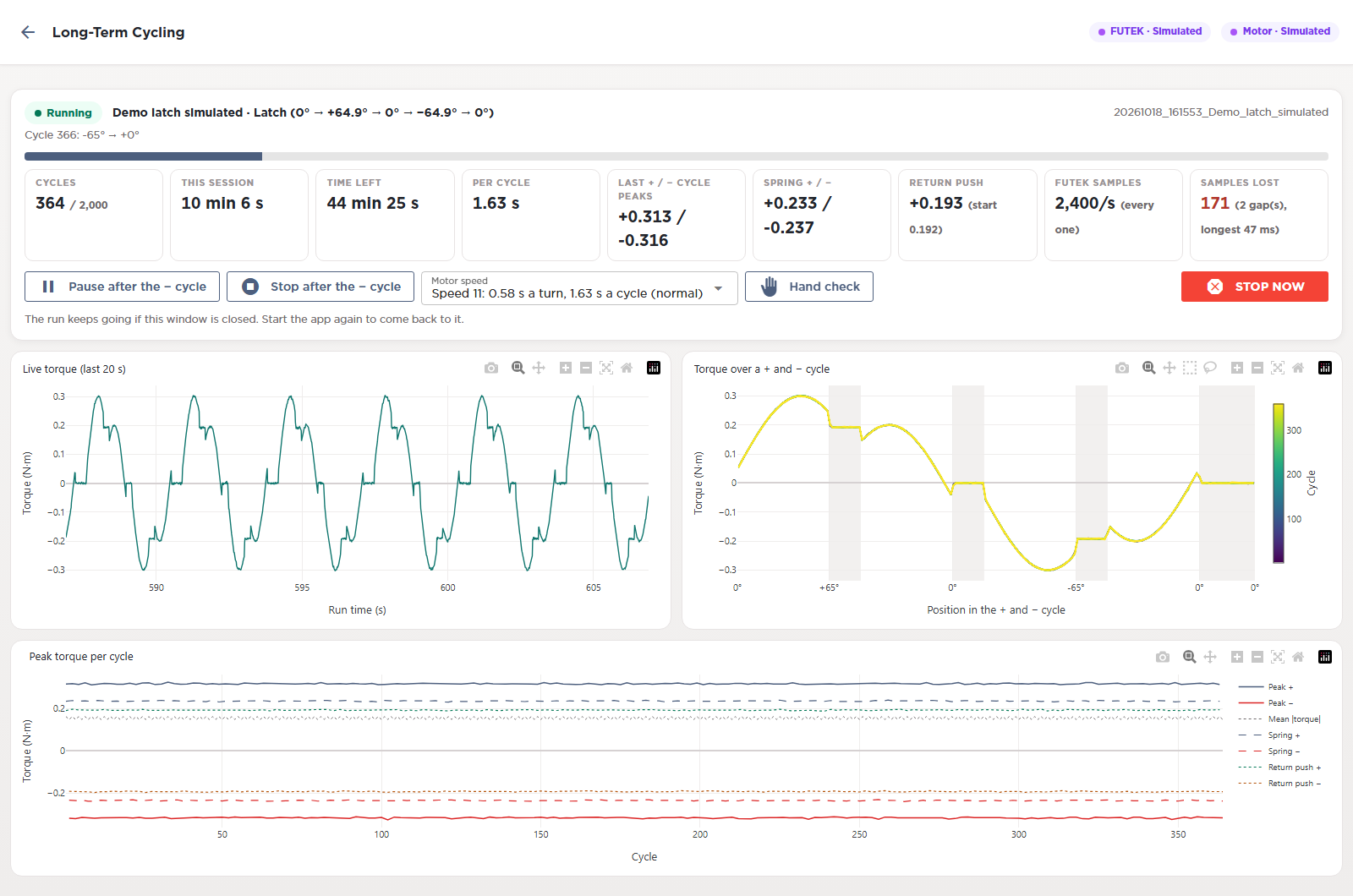
The station runs from a Python app with a browser UI. The live page shows where the run stands, the spring and friction readings, and two charts. One is torque over the last few seconds. The other overlays every out-and-back cycle, colored by cycle number, so any drift shows up right away. Pause, stop and motor speed controls sit right under the numbers, and the run keeps going if the window gets closed.
A run can be paused, stopped or sped up without anyone at the bench, and the people waiting on a result can follow along while it runs.
A separate analysis page pulls up any past run. It overlays cycles from across the whole run, zooms in on one part of the stroke, and lists each cycle's peaks, so we can trace a change in the part back to when it started.